 FamSync

I make FamSync. It works well for co-parents who get along well enough to share one calendar. If you need records for a court, skip to the section on that, because FamSync isn't built for it and I'd rather say so up front.
The co-parenting problem a calendar actually solves
Most co-parenting friction isn't about the big decisions. It's the small stuff that falls between two houses. Who has the dentist appointment on Thursday. Whether swim moved to 5. Which house the cleats are at. The text thread grows, someone scrolls past the one message that mattered, and a kid is waiting at the wrong door.
A shared calendar fixes most of that by making the schedule the source of truth instead of the thread. Both parents look at the same week. When something moves, it moves for everyone.
How co-parents use FamSync
Everyone joins one family
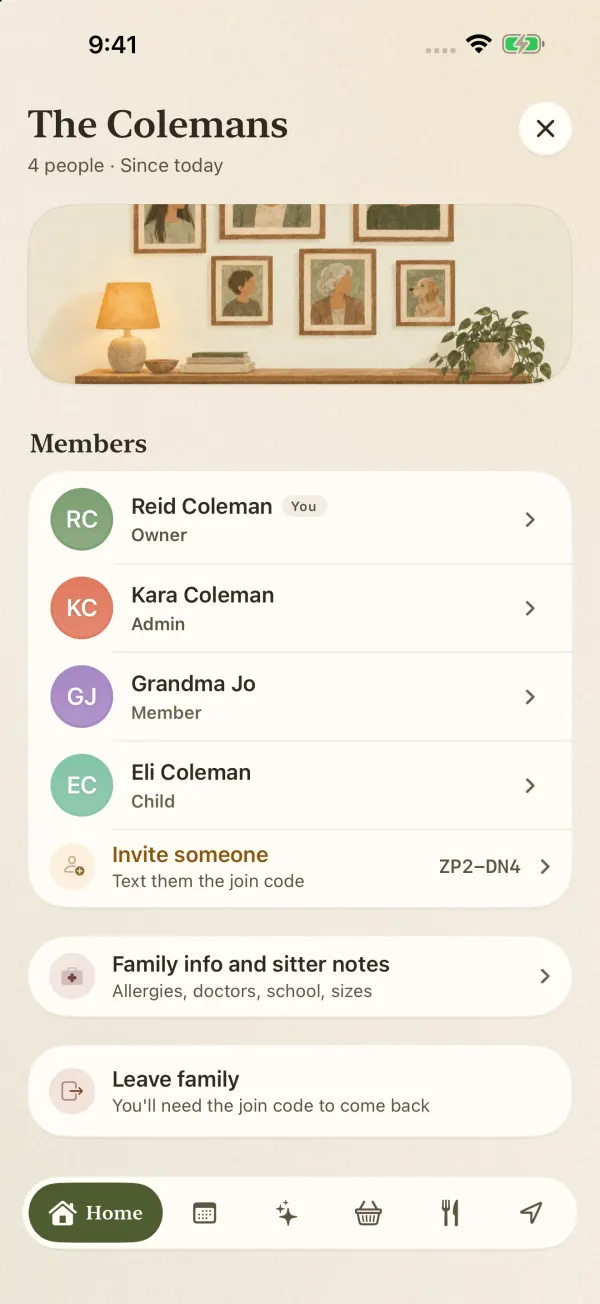
Create a family, then text the join code to your co-parent. Each person gets a color, so a glance at the week tells you whose day it is. Add the kids too. Kids who don't have a phone yet get a phone-free profile with their own color.
The free plan covers four people: two parents and two kids, for example. Stepparents and grandparents often join as well, and a blended family can run past four quickly. Premium covers eight. Phone-free profiles count toward the total.
See one person's week, or everyone's
Tap a name to filter the calendar to that person. That's the view I'd use for a child who moves between homes: one strip of color that shows where they need to be and who's taking them. Tap Everyone to see the whole picture and spot a clash before it happens. The week view flags clashes, and "Free together" finds the evenings nobody has plans.
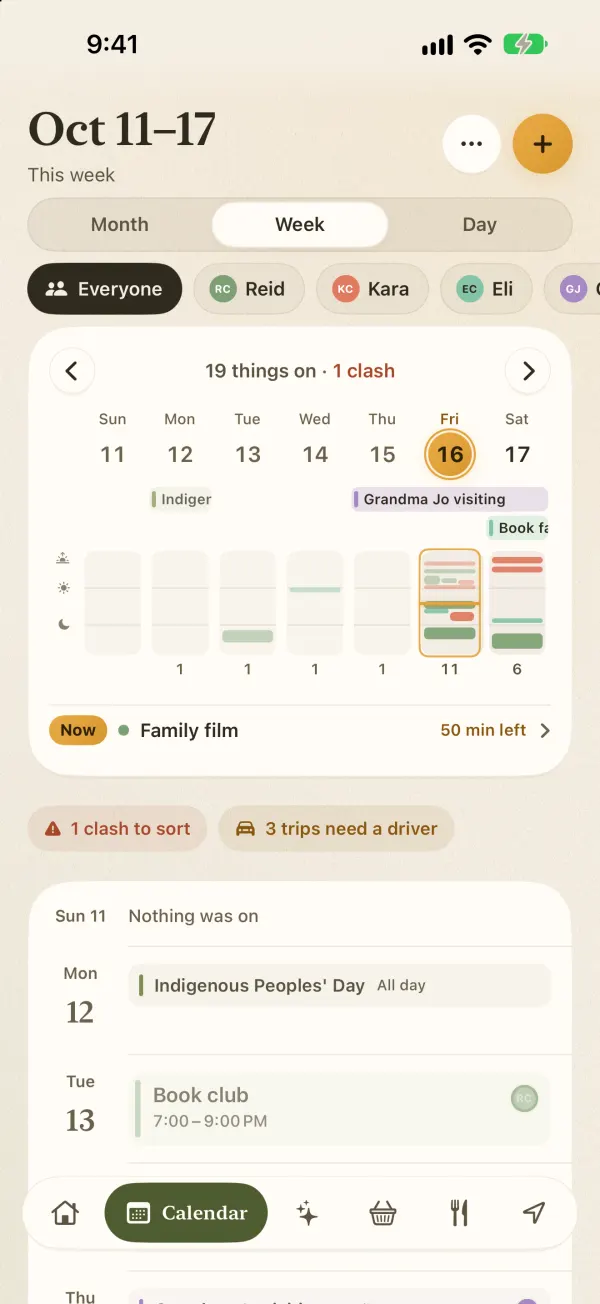
Keep your own calendar where it is
Plenty of parents already live in Google Calendar or Apple Calendar for work. With Premium, FamSync connects to both and events flow both ways, so you don't have to give up your own calendar to share the kids' one. You choose which calendars to connect.
Sizes, doctors and allergies in one place
Family info and sitter notes hold the things that never seem to be at the right house: shoe sizes, the pediatrician's number, school details, allergies. Both homes see the same notes, so nobody has to text "what size is she in now?" again.
Reminders the kids can't miss
With Premium, Remind sends a message straight to someone's phone, either as a banner that breaks through Focus or as a call that rings even on silent. It's meant for "leave for practice now" to a teenager, not for leaning on your ex. Reminder Calls do the same for events that matter, right from the lock screen.
Location, only if you want it
FamSync has a live family map with ETAs and arrive and leave alerts (Premium). Between two households, that's not always welcome. Each person can switch off "Share my location", and nothing about the calendar depends on it.
When you need a court-ready app instead
Some co-parenting arrangements need records: messages that can't be edited, timestamps showing when something was read, a log of expenses and payments that a judge or mediator will accept. Apps like OurFamilyWizard and TalkingParents are built for exactly that. FamSync is not, and I won't pretend otherwise.
- OurFamilyWizard lists its Essentials plan at $149.99 a year per parent, with messages that show when they were first viewed, PDF records and an expense log. Each parent has their own subscription.
- TalkingParents starts at $7 a month for its Essentials plan, with secure messaging, a shared calendar and recorded calling. Its site says a paid subscription is needed as of March 30, 2026.
If a court has ordered one of those, use it. Some families use one of those for communication and a simpler shared calendar for the day-to-day logistics. That's a reasonable split.
Setting up a co-parenting calendar that stays useful
These come from families who've made it work, and from my own sense of what goes wrong. If you're still choosing a rotation, here are 7 custody schedules explained, from 2-2-3 to alternating weeks.
- Agree on what goes on it. Kid things: school, activities, appointments, handoffs. Leave your own social plans off unless they affect a pickup.
- Make handoffs their own events. "Drop-off at Dad's, 6 pm" with the parent doing it attached. Then nobody has to remember whose turn it is.
- Use names, not "my weekend". It reads the same from both houses.
- Put the conversation somewhere else. The calendar says what's happening. If there's a disagreement about it, have that talk in person or in whatever channel you use for that.
- Photograph the paper schedule. When school or the team sends a flyer, snap it and every date lands on the calendar (Premium). One parent does it once, both see it.