

Family calendar for iPhone and iPad

One calendar for the whole family.

Every practice, pickup and appointment in one place, with a color for each person. Chores, groceries and dinner live right next to it, so nobody has to ask what's happening.

Trusted by 100+ familiesFree for up to 4 peopleNo ads, ever

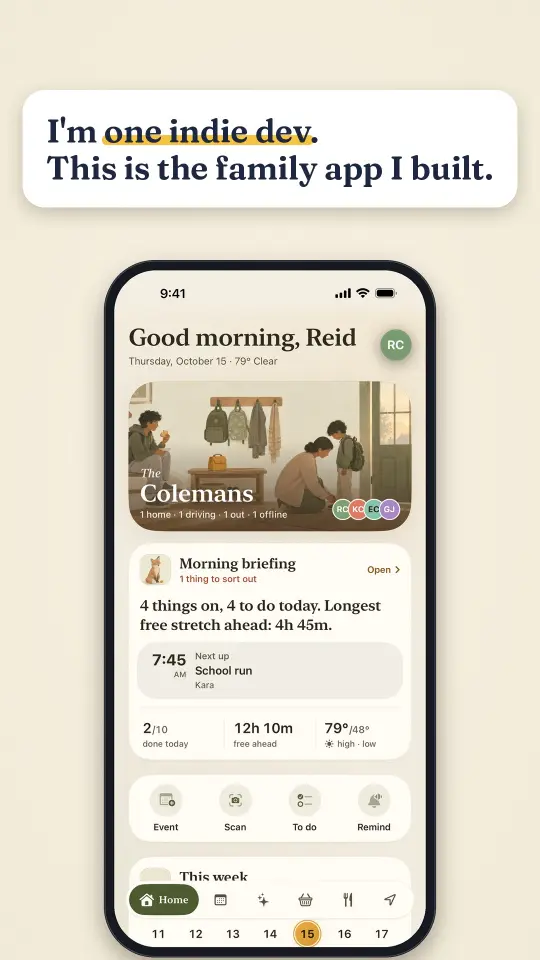
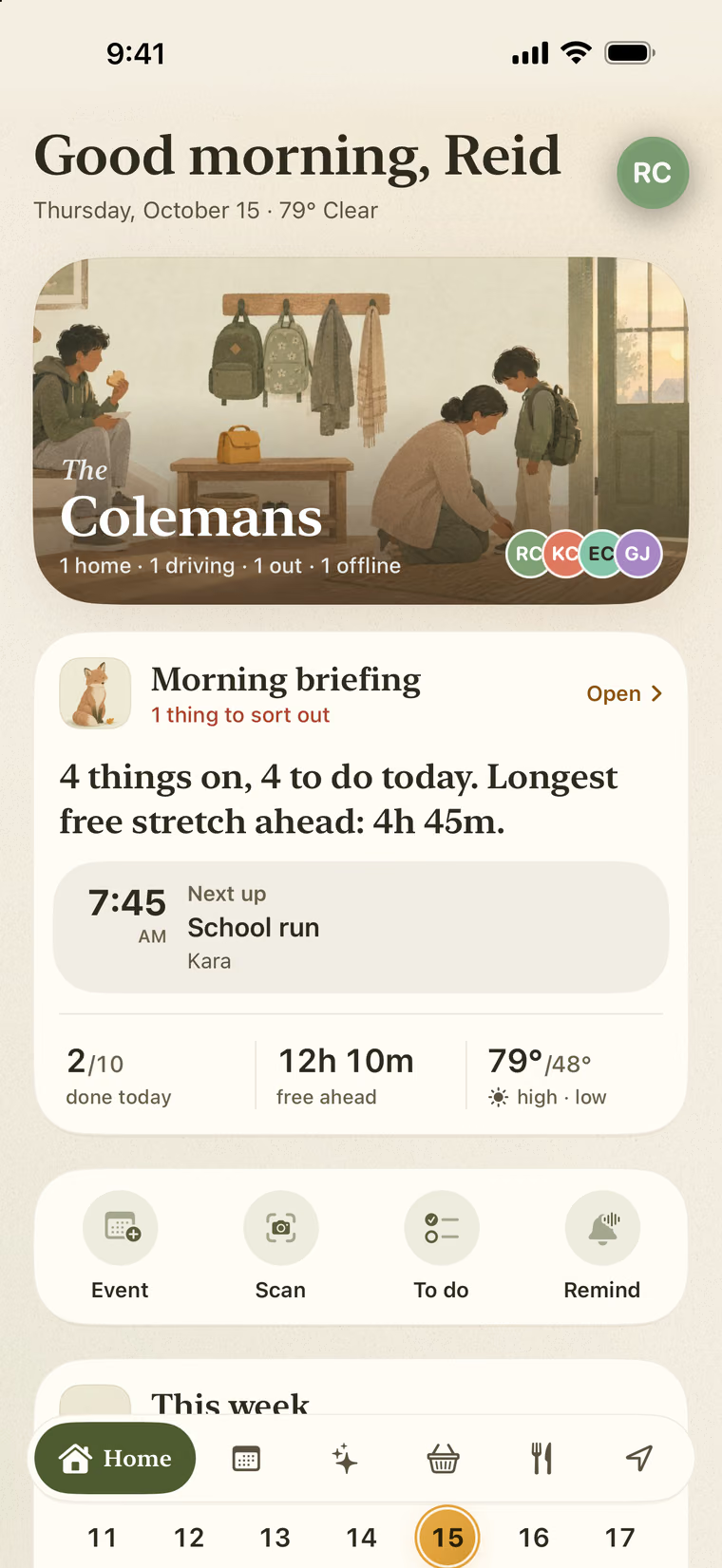
FamSync home screen: good morning, the family's status, a morning briefing with the next school run, and today's numbers
No ads, everNot in Free, not in Premium.
Your data is never soldOnly your family sees your family.
Free for up to 4 peoplePremium makes room for 8.
Apple + Google CalendarTwo-way sync with Premium.

The whole week, in one app.

The calendar is the heart of it. Chores, groceries and dinner sit right beside it, so the kids open one app instead of four. These are real screens.

Free

Every practice. One calendar.

Practices, appointments and pickups on one calendar, with a color for each person. See everyone at once or just one kid. Free together finds the evenings nobody has plans.

A color per personApple + Google, both waysSnap a flyer into events
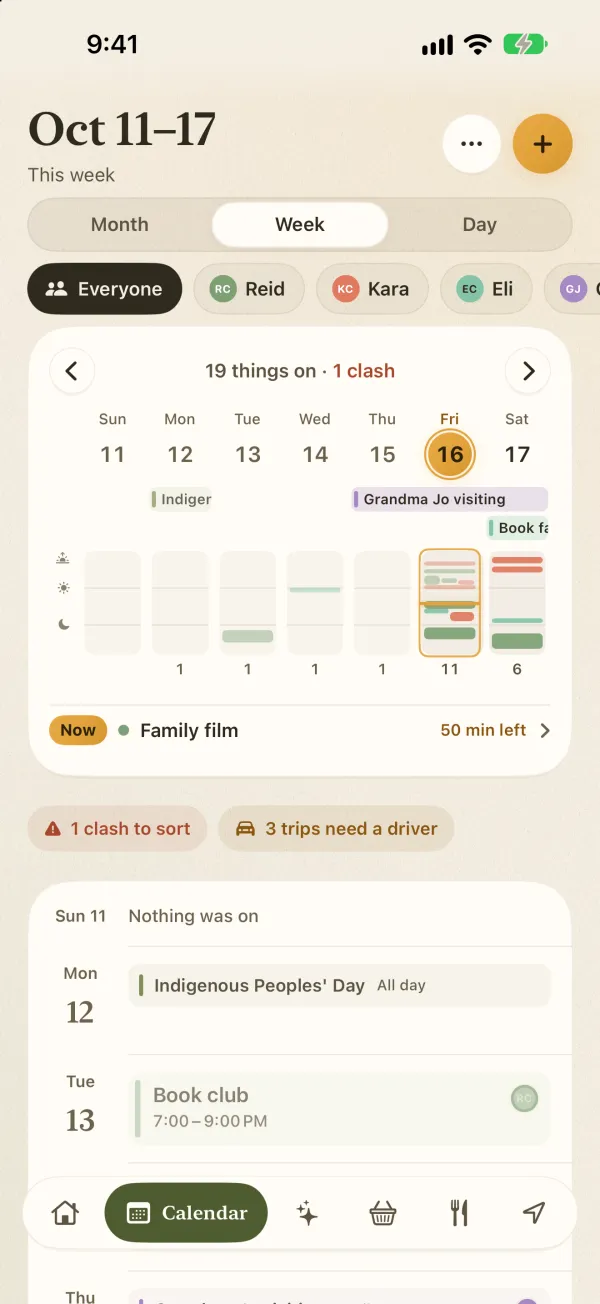
FamSync week calendar with a color for each family member and a clash flagged
Free

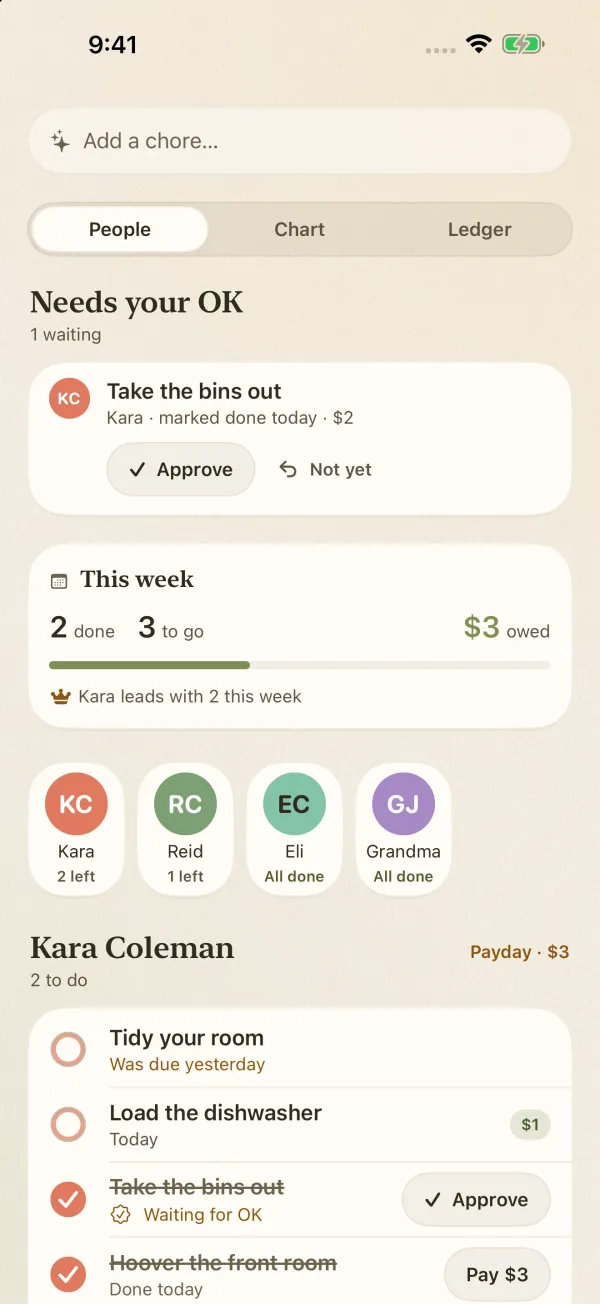
Kids tick it off. You give the OK.

Give each chore a due date and an allowance amount. FamSync keeps the streaks and a running total of what you owe.

AllowanceStreaksParent OK
Chore chart with a chore waiting for a parent's OK and this week's allowance total
Free

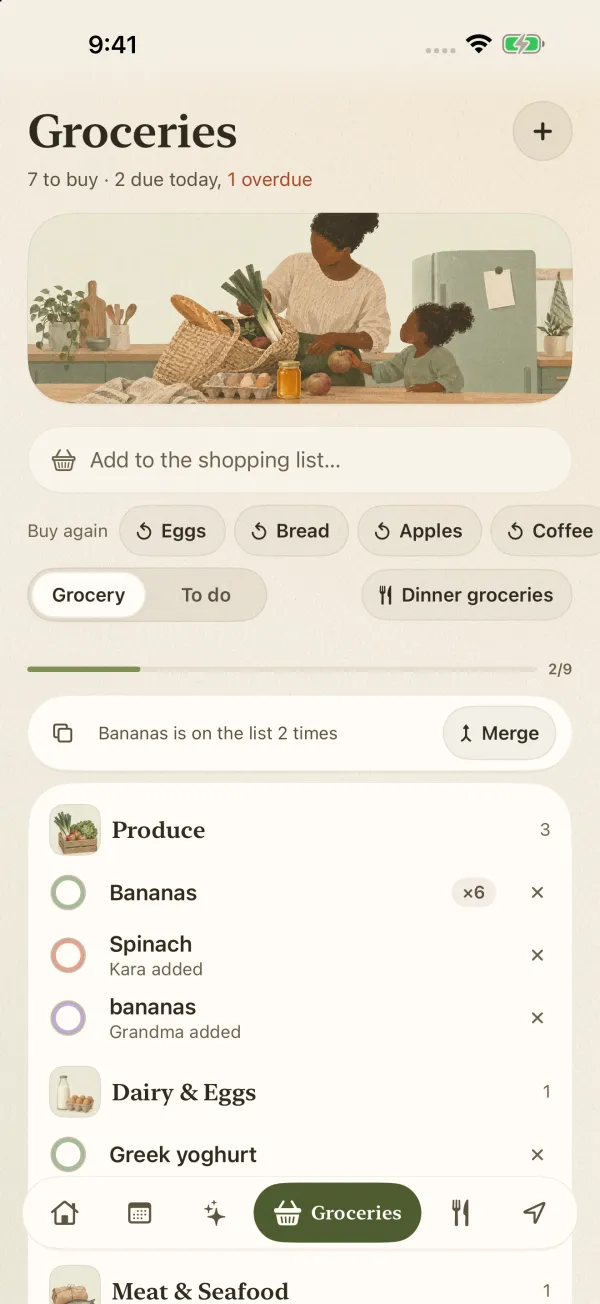
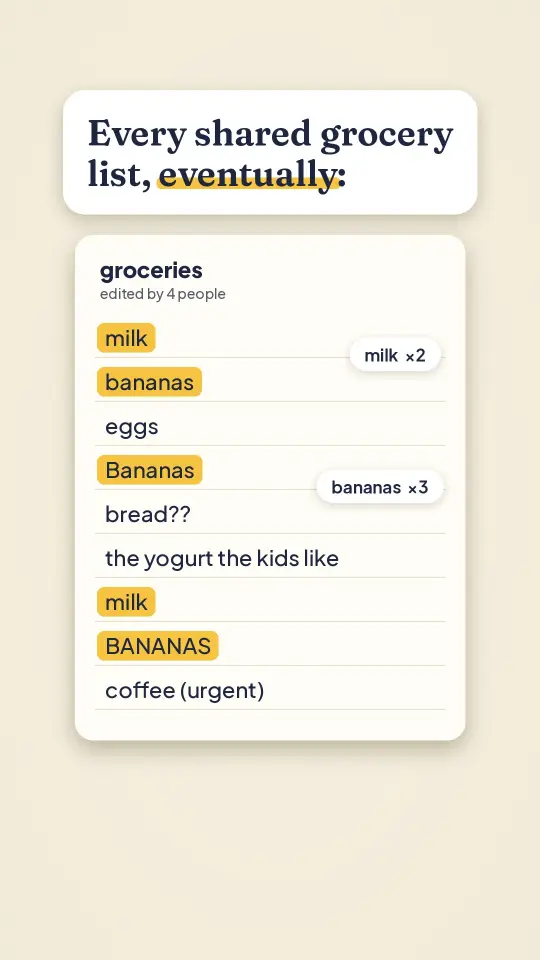
The list sorts itself by aisle.

One shared grocery list the whole family adds to. It groups by aisle, spots doubles and remembers what you buy again. Add hands-free with Siri.

Sorted by aisleSpots doublesBuy again
Shared grocery list grouped by aisle, with a duplicate flagged and buy-again chips
Premium

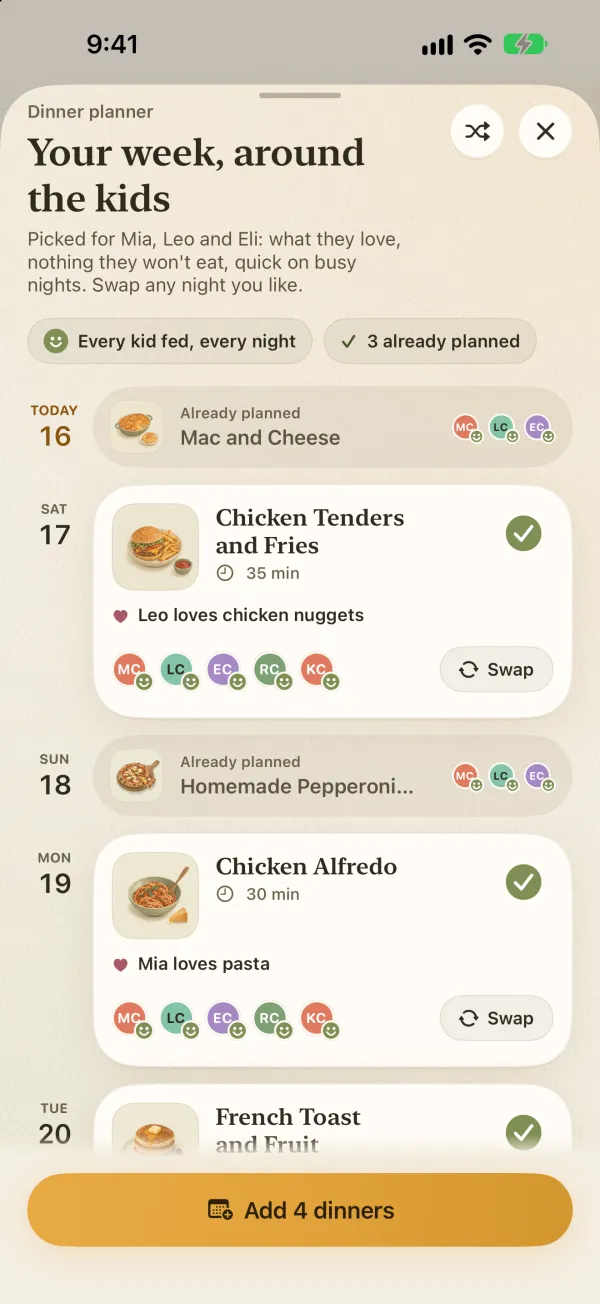
Dinner, decided.

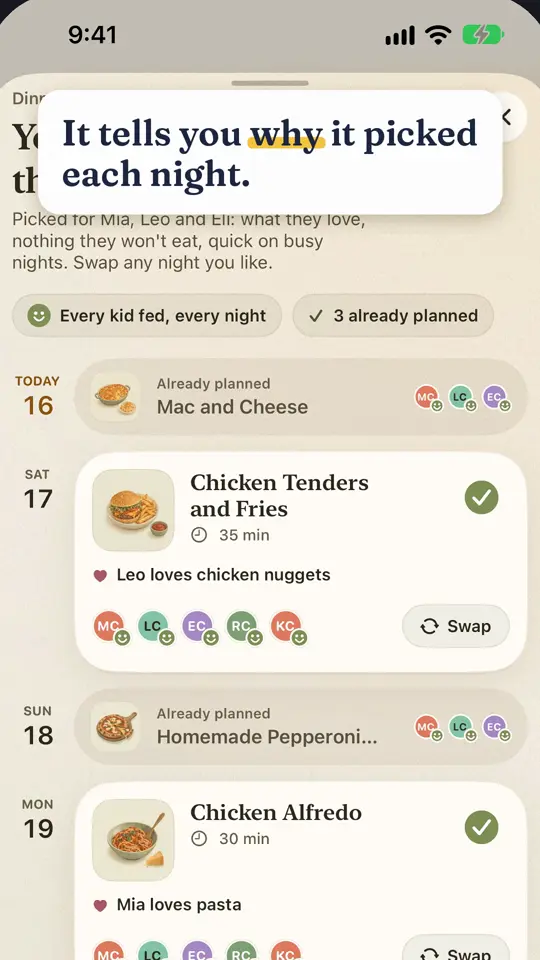
A week of dinners planned around what each person likes, dislikes and can't eat, kids included. No AI needed. Scan a recipe from a photo or paste a link, and the missing ingredients go to the list.

Every kid fedAllergies respectedRecipe scan
Meal planner showing a week of dinners with which kid loves each one
Premium

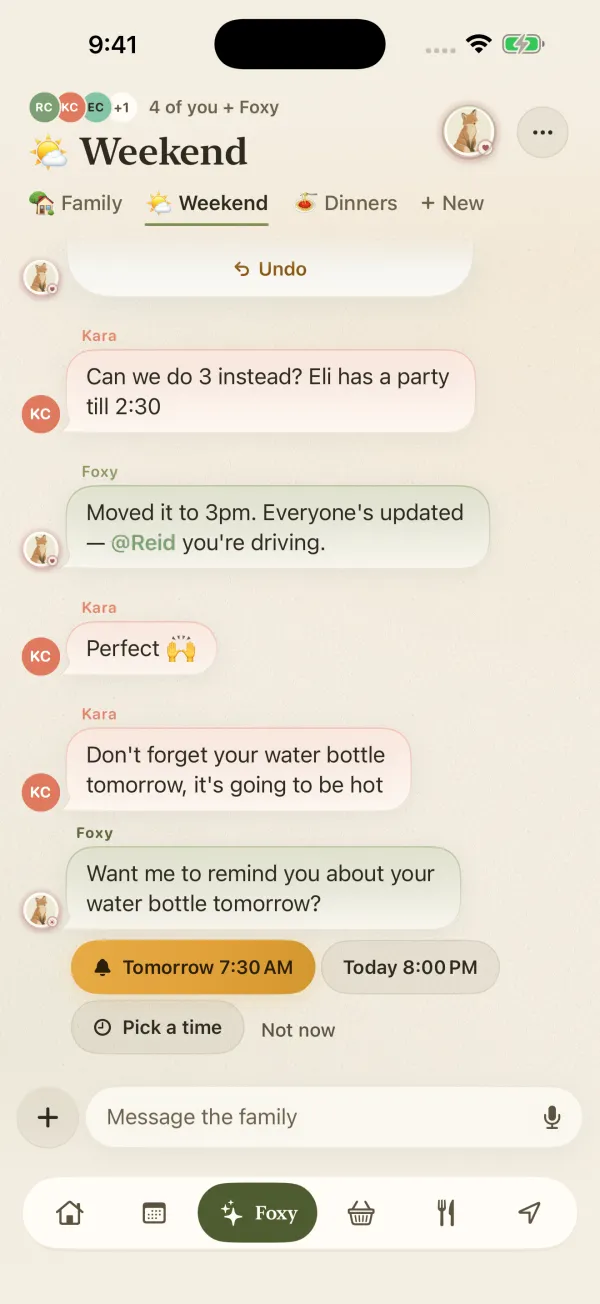
Just ask Foxy.

Type it the way you'd say it. Foxy books it, moves it and reminds the right person, and checks with you before anything is saved.

Family chat with Foxy moving an event and offering a reminder
Premium

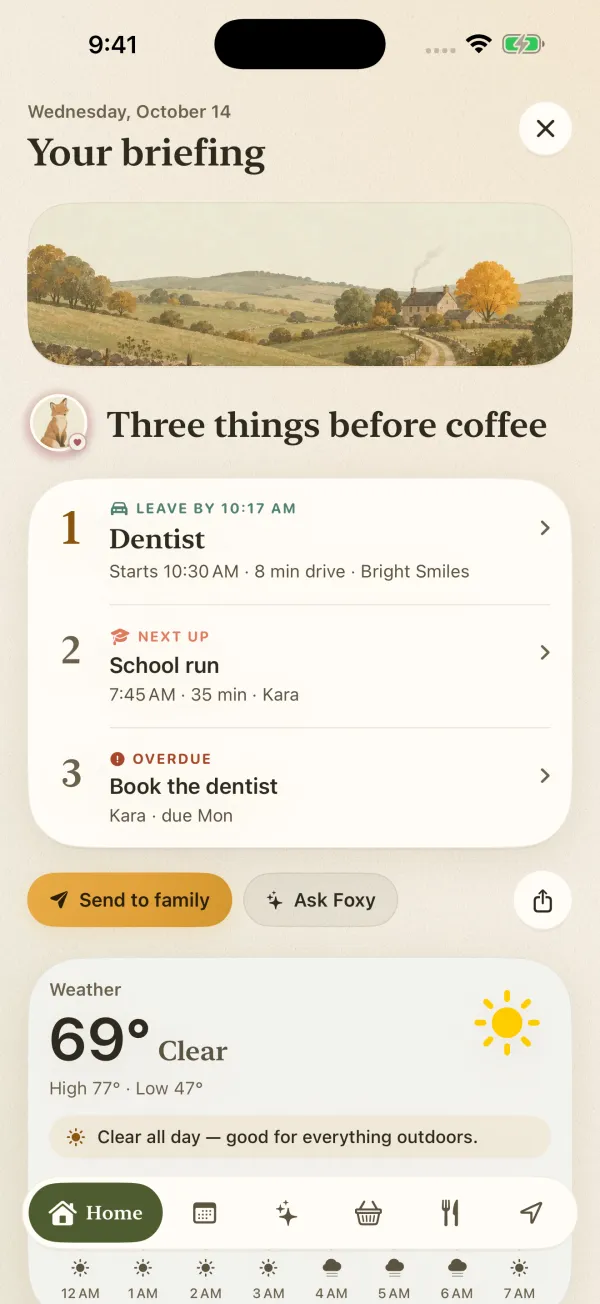
Three things before coffee.

A morning briefing with leave-by times, the weather, and the one thing to sort first.

Morning briefing listing a dentist leave-by time, the school run and an overdue task
Free

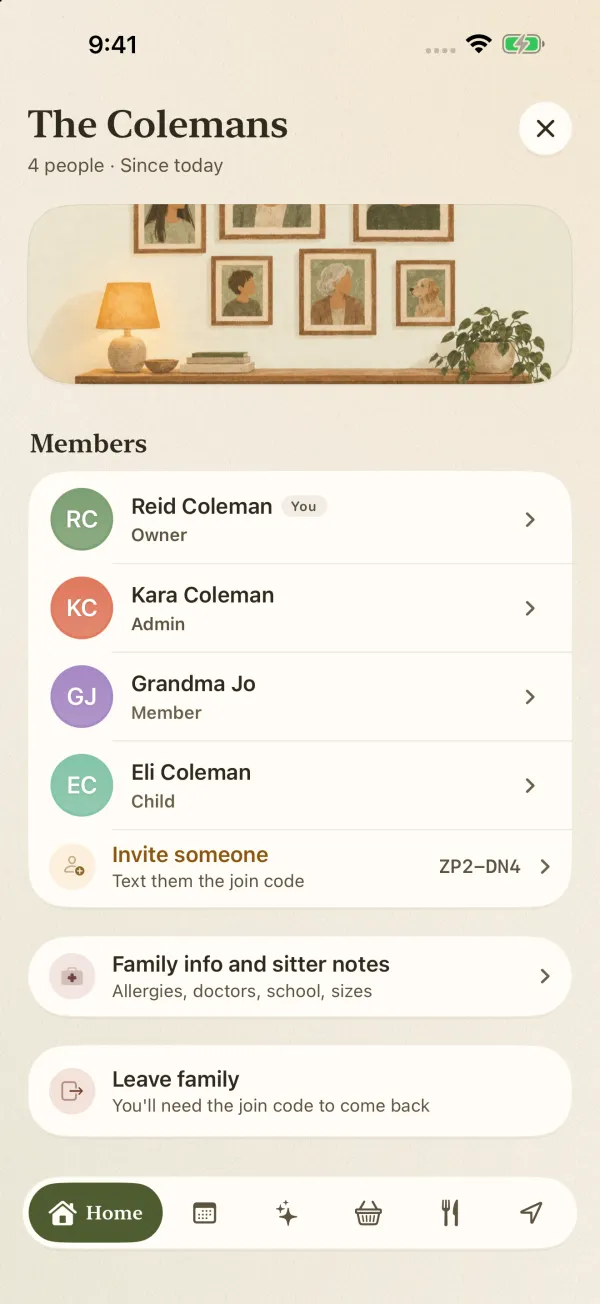
Room for everyone, phone or not.

Grandparents, co-parents and little ones without a phone all get a place and a color. Family info and sitter notes keep allergies and doctors in one spot.

Family members list with owner, admin, member and child roles
Premium

Reminders they can't miss.

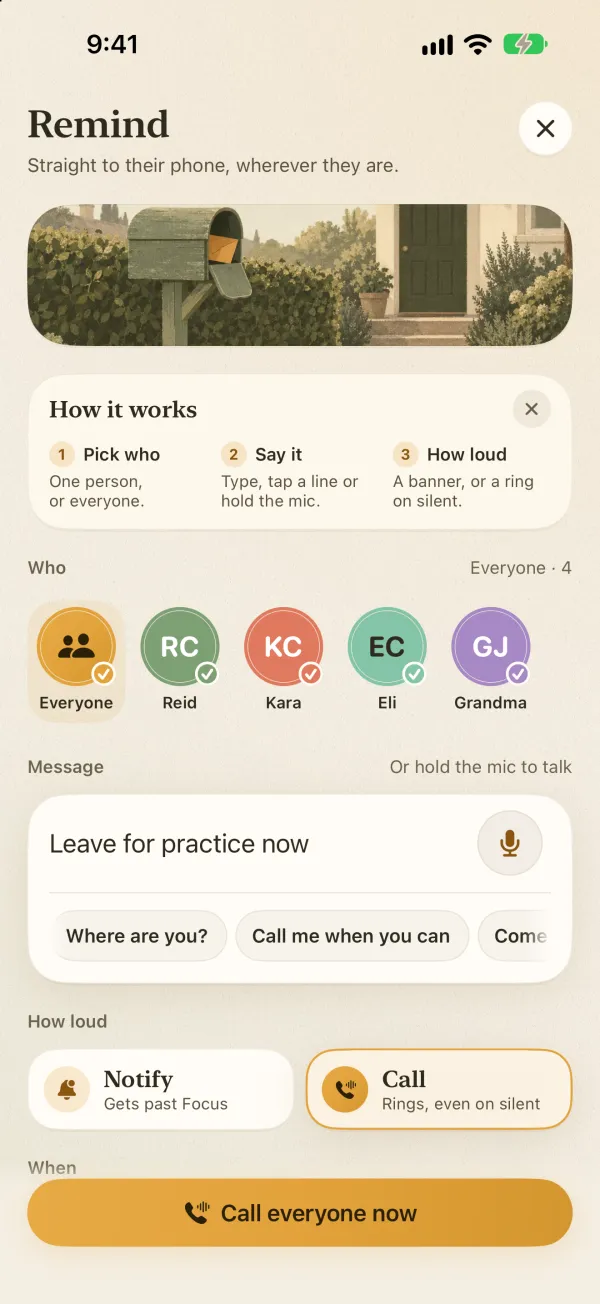
Banners get swiped away. Remind sends a message straight to their phone as a banner that breaks through Focus, or as a call that rings even on silent. Reminder Calls do the same for the events that matter.

  • Leave for practice now.
  • Dinner's ready.
  • Don't forget the permission slip.
  • One person or everyone at once. Pick who, say it, choose Notify or Call.
  • See who got it. No more "I didn't see your text."
Remind screen: pick who, type the message, and choose Notify or Call, which rings even on silent
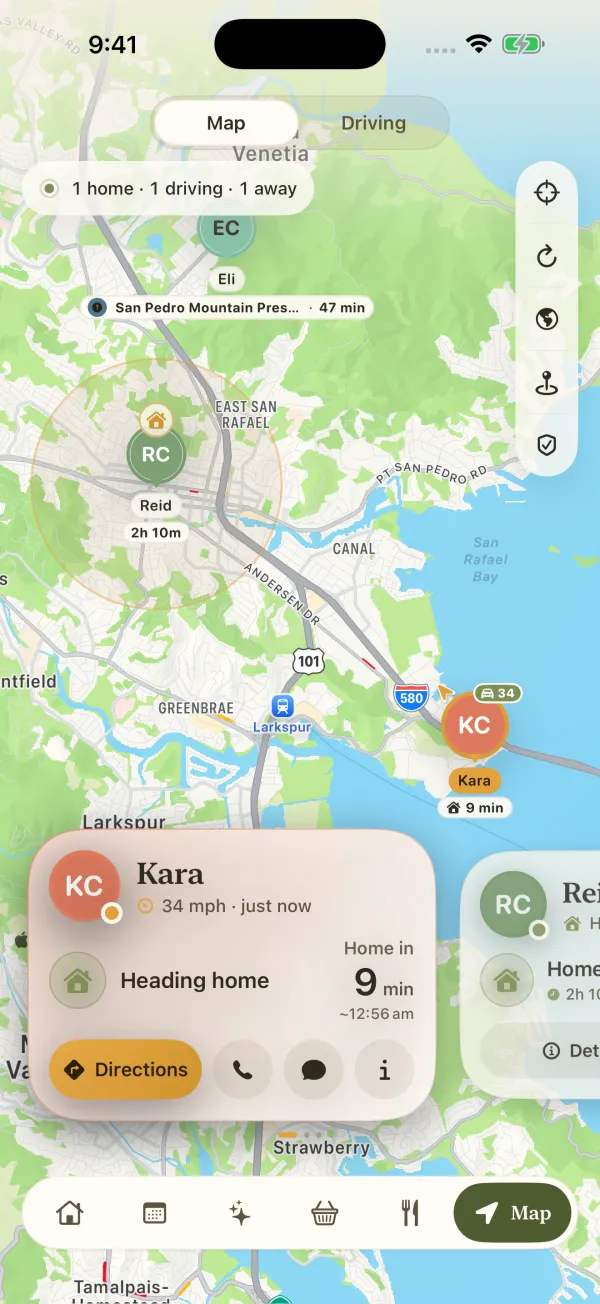
Family map showing Kara heading home at 34 mph, home in 9 minutes
Premium

Know they got home.

A live family map with ETAs like "home in 8 min", and an alert when someone arrives at or leaves school, practice or grandma's. No more "where are you?" texts.

  • A summary for every drive. Route, distance, top speed, hard brakes and how often the phone was picked up.
  • Teens see it too. The driver gets the same summary, so it's a shared view, not secret tracking.
  • Optional, per person. Location is only ever shared inside your family.

Made by a parent, not a big company.

Hi, I'm Reid.Parent, and the one person behind FamSync

A family app from one parent, with no ads.

I design, build and support FamSync on my own. It has no ads and never will, and your family's data is never sold.

If something isn't right, or there's a thing your family needs, write to support@hotstreak.info.

The 20-second tourSix real screens, start to finish
Groceries, sorted by aisleDoubles merged, buy again in a tap
Dinner, decidedA week planned around the kids

Free for four. Room for eight.

Start free with the calendar, chores and groceries. Add Premium when you want the extras or the whole crew, grandparents and co-parents included.

Free

For families of up to 4 people

$0forever
  • Shared family calendar with a color per person
  • Chores with allowance, streaks and parent OK
  • Grocery list sorted by aisle, with duplicate spotting, buy again and Siri
  • Phone-free profiles, family info and sitter notes
Download on the App Store

Premium

For families of up to 8 people

$5.99a month

or $49.99 a yearSave 30%

  • Foxy, your family assistant
  • Remind by banner or by call, and Reminder Calls for events
  • Morning briefing
  • Apple and Google Calendar two-way sync
  • Calendar scanning from photos of flyers and schedules
  • Family map, drive summaries and place alerts
  • Meal planner and recipe import
Download on the App Store

Free trial for eligible new subscribers. Billed through your Apple ID. Cancel any time in Settings and keep Premium until the period ends.

No ads. Ever. Not in Free, not in Premium. Your data is never sold.

Questions parents ask first.

Is FamSync really free?

Yes. FamSync is free for families of up to 4 people, with the shared calendar, chores with allowance, the grocery list and phone-free profiles. Premium makes room for 8 and adds Foxy, Remind and Reminder Calls, the morning briefing, Apple and Google Calendar sync, calendar scanning, the family map and the meal planner. It's $5.99 a month or $49.99 a year, with a free trial for eligible new subscribers.

Are there ads?

No. There are no ads in the free version or in Premium, and there won't be. Your family's data is never sold.

Does it work with the calendars we already use?

Yes, with Premium. Connect Apple Calendar and Google Calendar and events flow both ways. Each connected calendar has its own switch, and disconnecting one removes everything it brought in.

Does everyone need an iPhone?

FamSync runs on iPhone and iPad with iOS 17 or later. Little kids and grandparents without a phone still get a profile and a color, so their chores, events and dinners show up for everyone else. FamSync isn't on Android yet.

How do reminders ring when the phone is on silent?

Remind can send a message as a banner that breaks through Focus, or as a call. Calls use the same alarm and call features iPhone keeps for things that can't be missed, so they ring from the lock screen even on silent. You choose who can call you and which events call.

Is location sharing required?

No. Location is optional and set per person. When it's on, it's only visible inside your family. Drive summaries are shown to the driver too, so a teen sees exactly what a parent sees.

Does the meal planner use AI?

No AI is needed. The planner works from what each person likes, dislikes and can't eat, and tells you why it picked each night. You can scan a recipe from a photo or paste a link, then send the missing ingredients to the grocery list.

What does Foxy do with our data?

Foxy reads your family's calendar, lists and locations to answer you, and sends the conversation to our AI provider for processing. That provider doesn't keep it. Nothing Foxy prepares is saved until you approve it. Details are in the privacy policy.

How do I cancel Premium?

Subscriptions are billed through Apple. Open Settings on your iPhone, tap your name, then Subscriptions, and cancel FamSync there. You keep Premium until the end of the period you paid for.

Who makes FamSync?

Reid, a parent and solo indie developer, under the name Pixel Drift Studios. There's no big company behind it.

Get everyone on the same page.

Free for families of up to 4. Set up in a few minutes.

Download on the App Store